Part of Content release process
Approval processes
The first step in release is approving new or modified content for publication once the authoring process is complete.
When using a single read or write terminology server instance, the security model of the terminology server must be used to control approval and visibility of content to read-only users.
These sections describe how approval is achieved for FHIR resources and the special case of SNOMED CT and LOINC indexes in this case.
[I have edited this summary so it needs reviewing]
Summary
The first step in release is approving new or modified content for publication once the authoring process is complete.
When using a single read or write terminology server instance, the security model of the terminology server must be used to control approval and visibility of content to read-only users.
These sections describe how approval is achieved for FHIR resources and the special case of SNOMED CT and LOINC indexes in this case.
[I have edited this summary so it needs reviewing]
Snapper
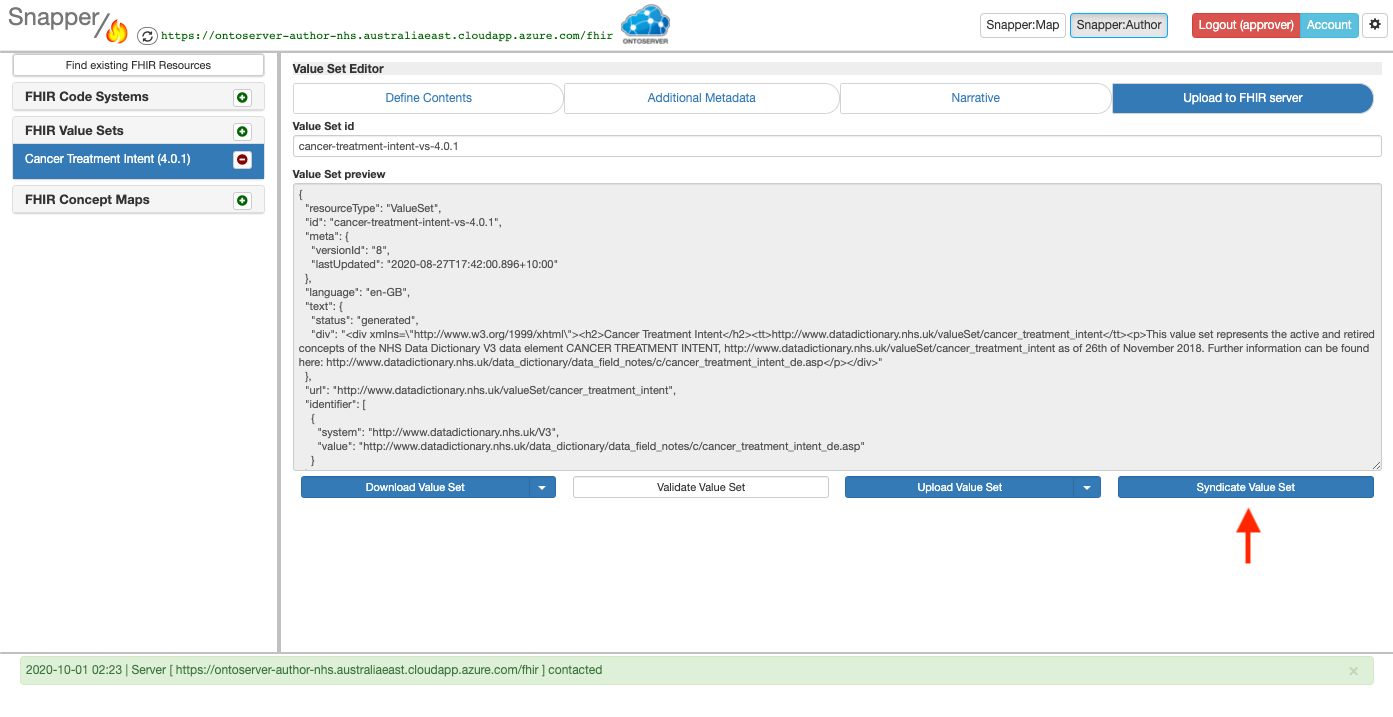
In Snapper, a user logged in with Approver privileges can approve a resource by:
- searching for the resource to approve and getting a local copy of the resource in your Snapper instance (the Modify an existing FHIR resource procedure starts with this process in the Authoring FHIR terminology training)
- reviewing the resource's contents, metadata and narrative on the define contents, Additional metadata, and Narrative tabs
- if acceptable, going to the Upload to FHIR server tab and selecting the the Syndicate button - note if the user does not have approver privileges the button will be disabled
Ontcommand
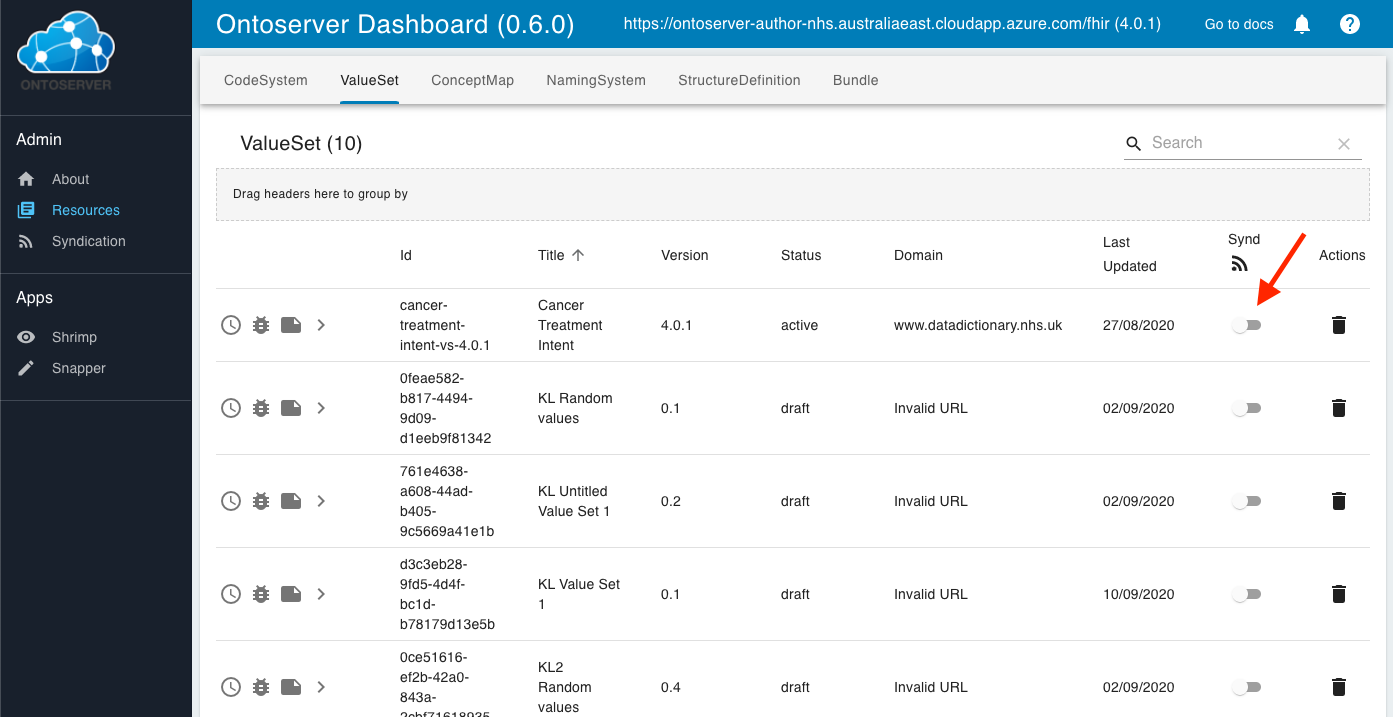
Alternatively a user with approver privileges can use OntoCommand to modify the syndication status of a resource. This is particularly useful for CodeSystems such as SNOMED CT which are backed by an index and can't be sensibly pulled into Snapper.
To perform this a user can:
- enter the FHIR endpoint of the authoring server into their browser, which will launch OntoCommand
- select Resources from the left hand menu and find the resource in question
- use the Synd toggle switch to change the syndication status of the resource
Approving indexes for publication in the authoring server
Unlike other FHIR CodeSystems, code systems for SNOMED CT and LOINC backed by the terminology server indexes cannot be approved for syndication using Snapper. Instead OntoCommand must be used similarly to the process described in approving FHIR resources for publication in the authoring server.
A user with approver privileges can use OntoCommand to modify the syndication status of a CodeSystem index.
To perform this a user can:
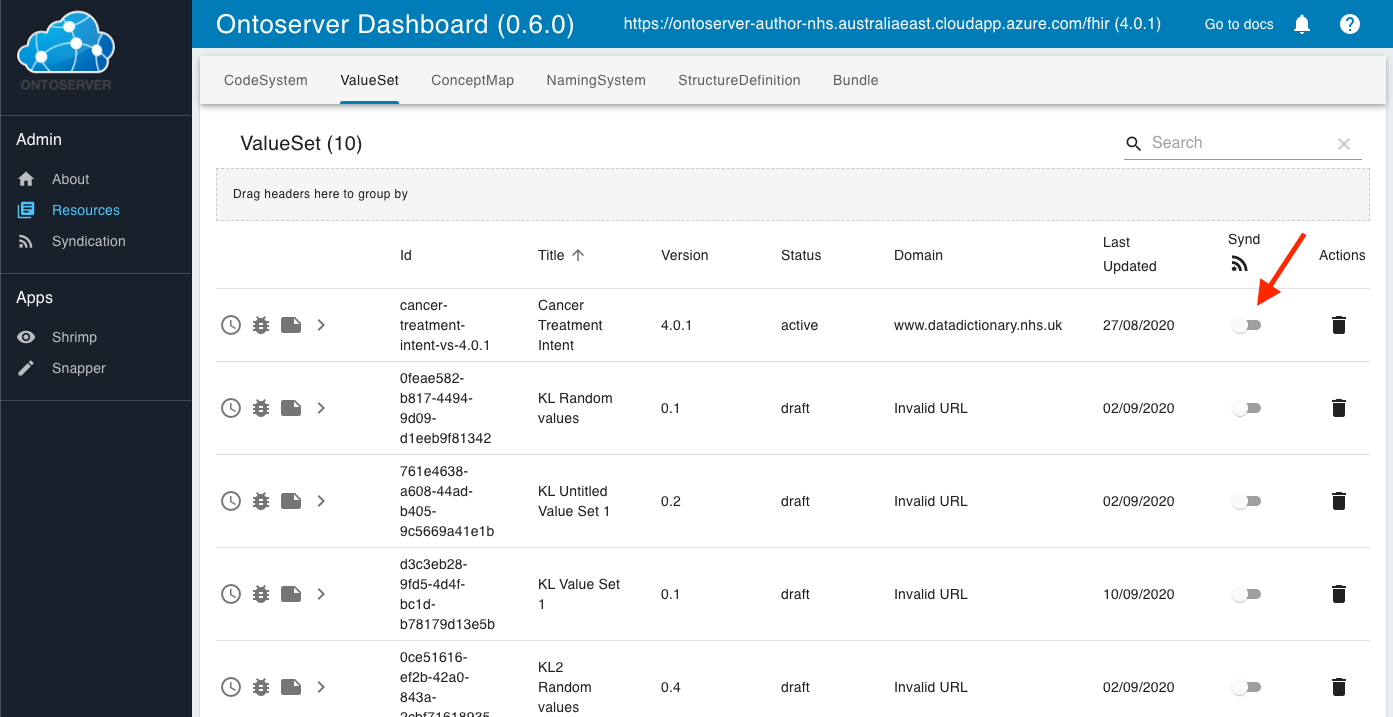
- enter the FHIR endpoint of the authoring server into their browser, which will launch OntoCommand
- select resources from the left hand menu and find the CodeSystem in question
- use the Synd toggle switch to change the syndication status of the CodeSystem
The Synd toggle switch is the same control as shown for ValueSets in the screenshot below, and all other FHIR resource types in the terminology server.
Last edited: 1 March 2021 2:15 pm