Part of PLICS guide 2022 Integrated trust specific summary reports
Accessing the report(s) using SEFT
The Secure Electronic File Transfer (SEFT) system’s function is to transfer files securely into and out of NHS Digital. This is the same system used to submit your PLICS data.
Logging on to SEFT
NHS Digital will have issued you a username and password to submit your PLICS data. Please use the same credentials provided to access your PLICS Integrated Trust Summary Report(s).
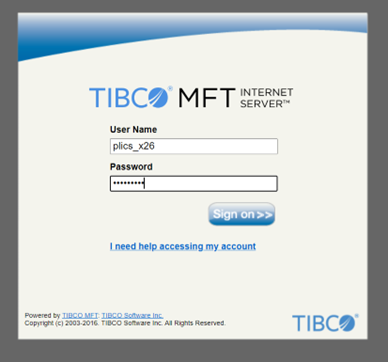
- Log on to SEFT: https://www.seftprod.hscic.gov.uk
- Enter your username and password
- Click 'sign on'.
SEFT dashboard
The SEFT dashboard homepage is where you will see the transfers (downloads) available to you to access.

1. Select PLICS_Integrated_Trust_Summary_Report under the transfer name.
2. Click on the above transfer name, this will take you to the folder for your organisation (in the event you have more than one type of Summary Report as per 'Reporting levels' on previous page, then these will be available in the same folder, accessed via the above-named transfer).
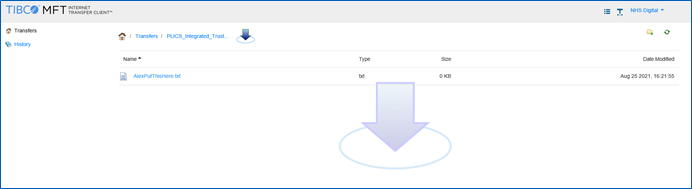
3. Click on the file.
4. An arrow icon will appear at the bottom of the screen.
5. Click on the arrow icon to open the file.
Last edited: 25 July 2022 12:04 pm