Register or remove a user's NHS.net Connect account in Care Identity Management
How to use the service to register an NHS.net Connect account to use as an authenticator, as an alternative to a smartcard, or remove an NHS.net Connect account from a user's profile.
NHSmail has been rebranded as NHS.net Connect.
Which roles can do this?
- Registration Authority Manager
- Registration Authority Agent (Advanced)
Before you start
For the Registration Authority
You will need to set up a registration meeting with your user, either via video or face-to-face. Registration must be completed in your presence.
For the user
The user must have an NHS.net Connect account that they are able to log in to.
Register a user's NHS.net Connect account
From the Care Identity Management home page, choose 'Find an existing user'.

Enter the user's details and select 'Search'.

Choose 'View profile' on the right of the screen.

Go to the Authenticators tab on the user's profile page and select Issue other authenticator.

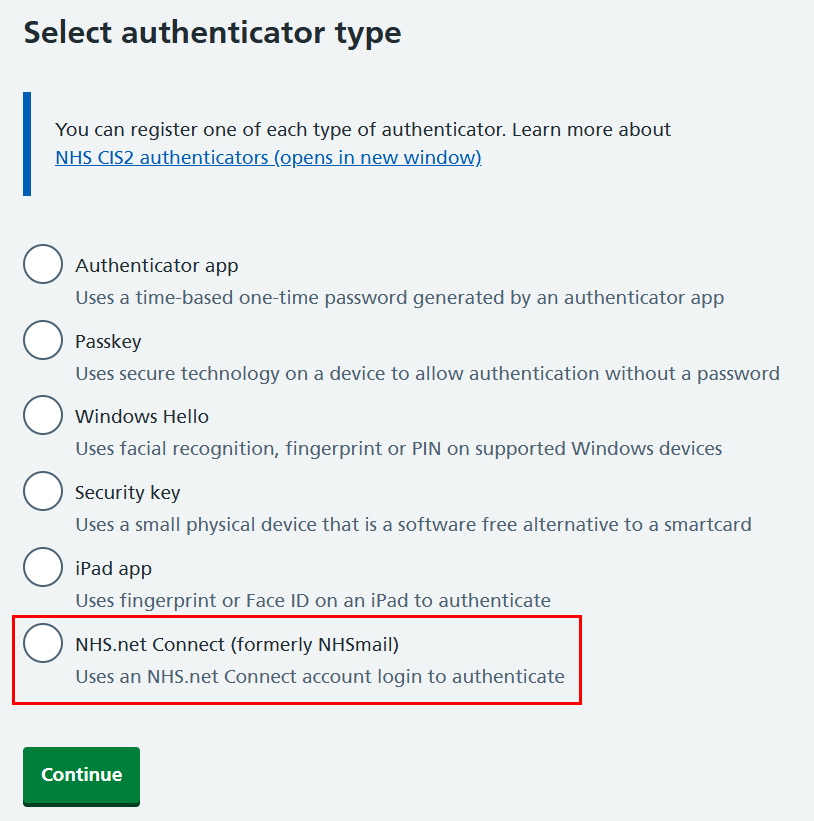
Select 'NHS.net Connect' and 'Continue'.
You will now see a screen with instructions how to register the NHS.net Connect account.
When you've read the instructions and are ready to proceed, select 'Generate link'.

You should send the generated link to the user so that they can open it on their device. They'll then be taken through additional steps required to register the NHS.net Connect account.
When they have finished you'll see a message confirming that the account has been registered.

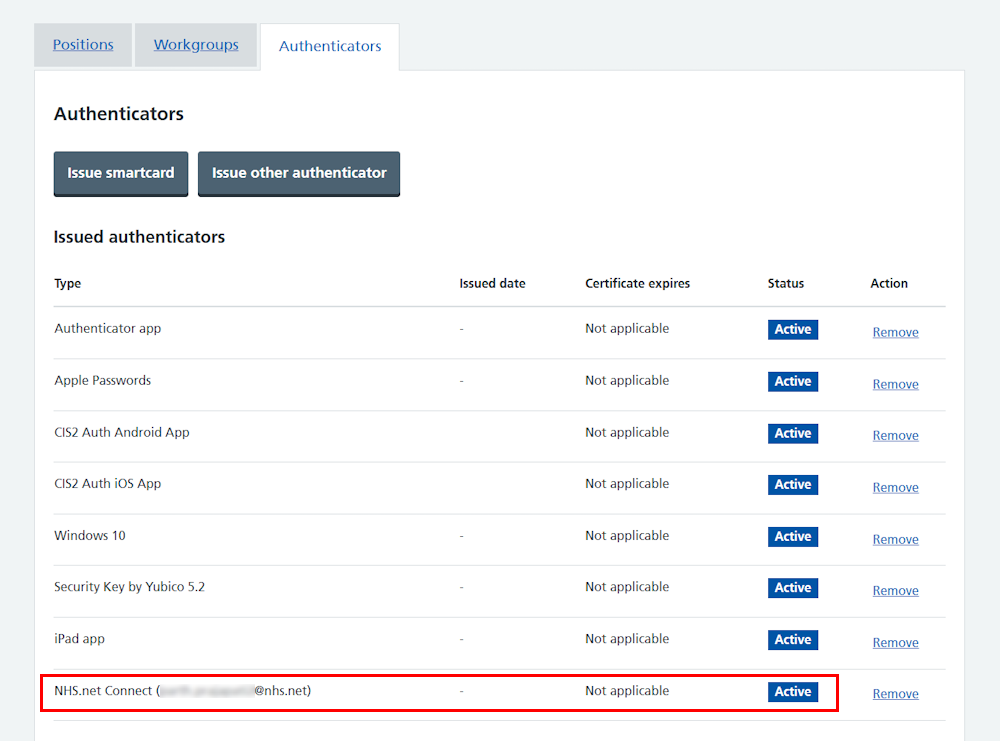
The user profile page will now show that the NHS.net Connect account has been registered and is active.
Remove a user's NHS.net Connect account
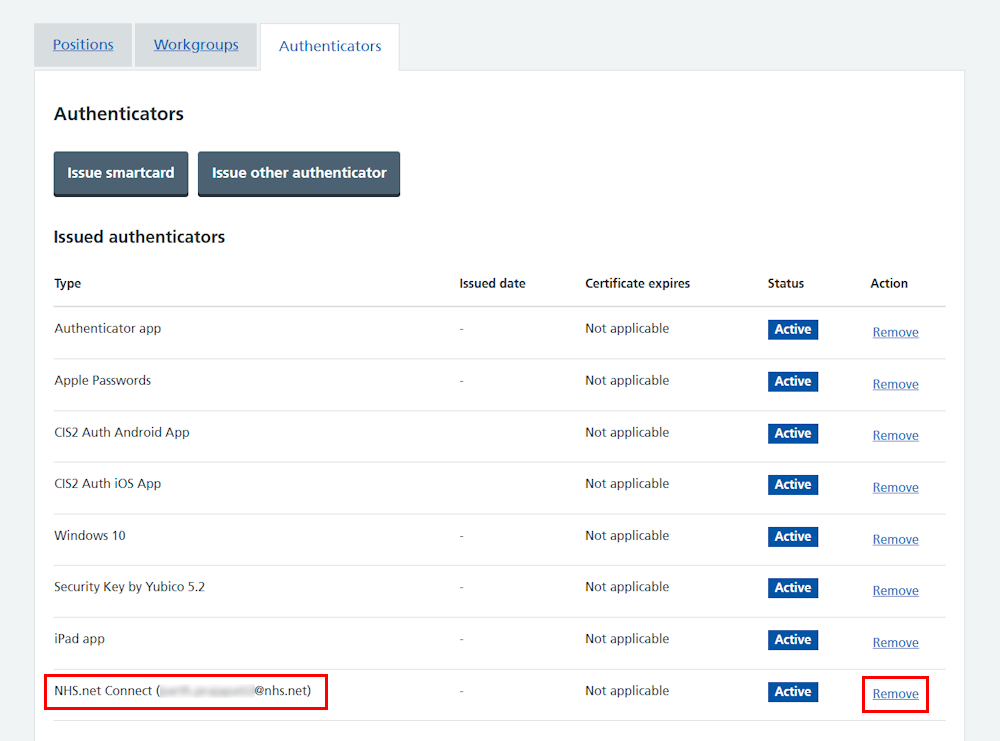
From the user's profile, select the 'Authenticators' tab, find the NHS.Net Connect account and select 'Remove' on the right.
Select the box to confirm you want to remove the NHS.net Connect account, followed by the 'Remove authenticator' button.

Finally you'll see a message confirming the account has been removed.

The NHS.net Connect account will now no longer be listed among the authenticators on the user's profile page.
Last edited: 13 July 2026 1:35 pm