Copy an existing position
How to use an existing position as the basis of a new one in Care Identity Management.
Which roles can do this?
- Registration Authority Manager
- Registration Authority Agent (Advanced)
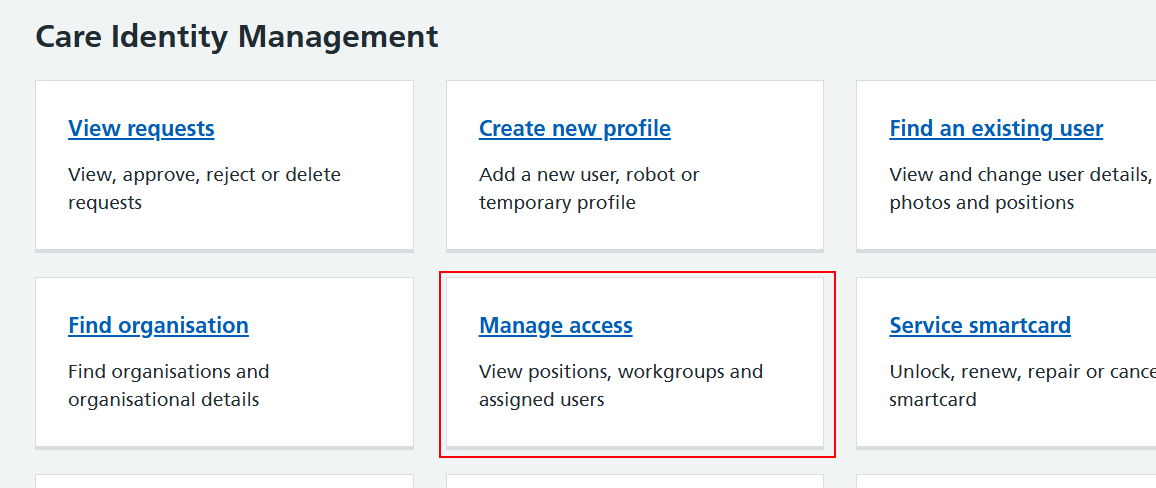
From the Care Identity Management home page, choose 'Manage access'.
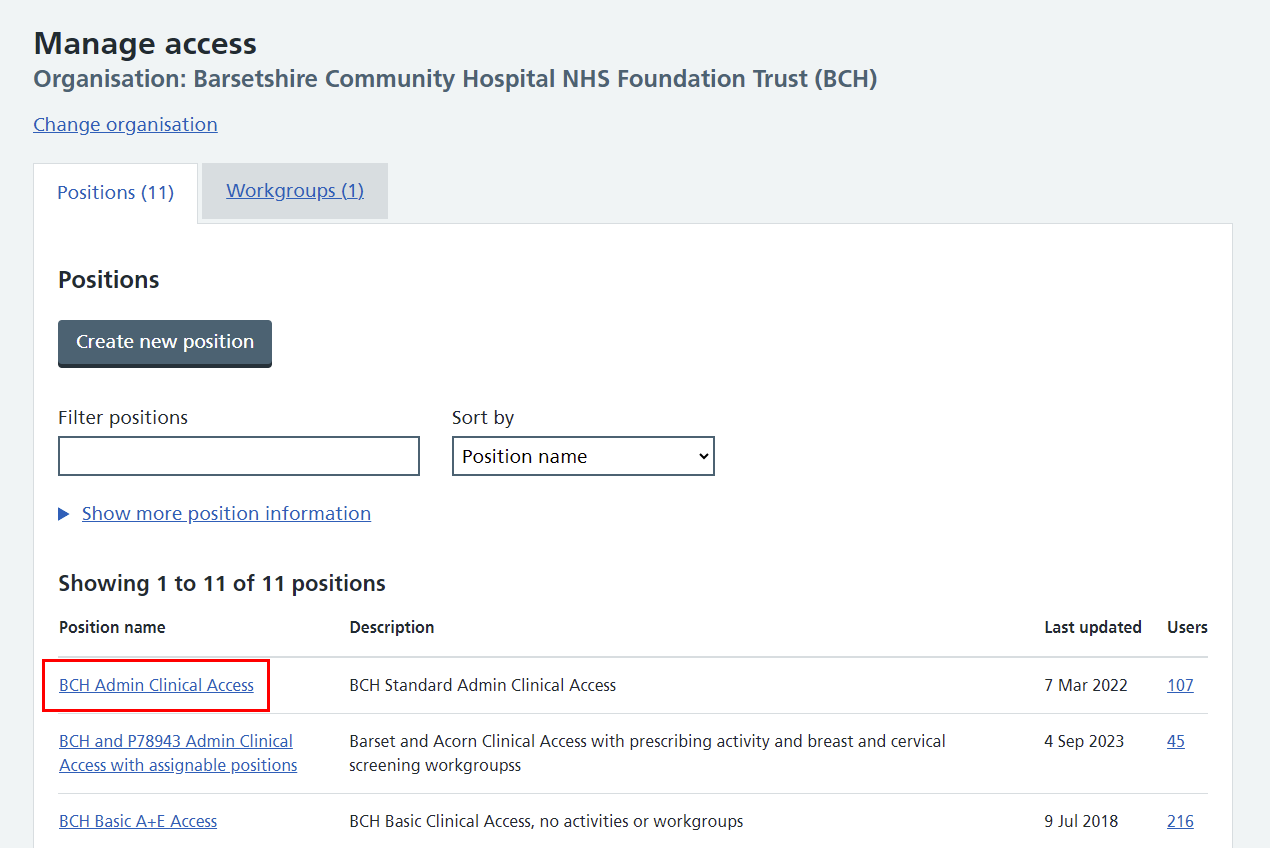
In the list of positions on the 'Manage access' screen, select the name of the position you want to close. You can use the search and filter options to find the position you're looking for.
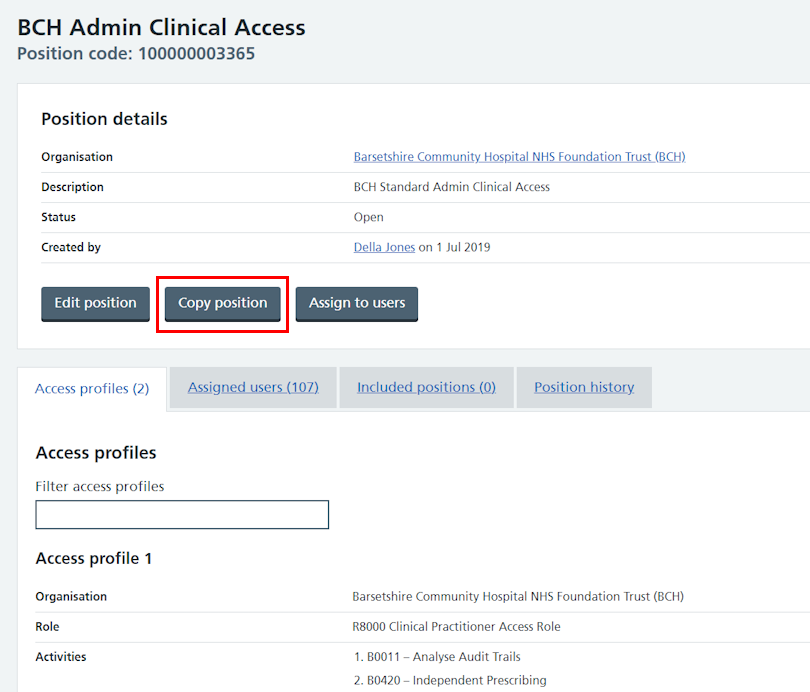
You'll now see the details of this position. In the upper panel, select 'Copy position'.
You'll now have the option of changing various aspects of this position when you create the copy. Use the links around the page to change details of the position or any of its access profiles, or add, duplicate or remove access profiles.
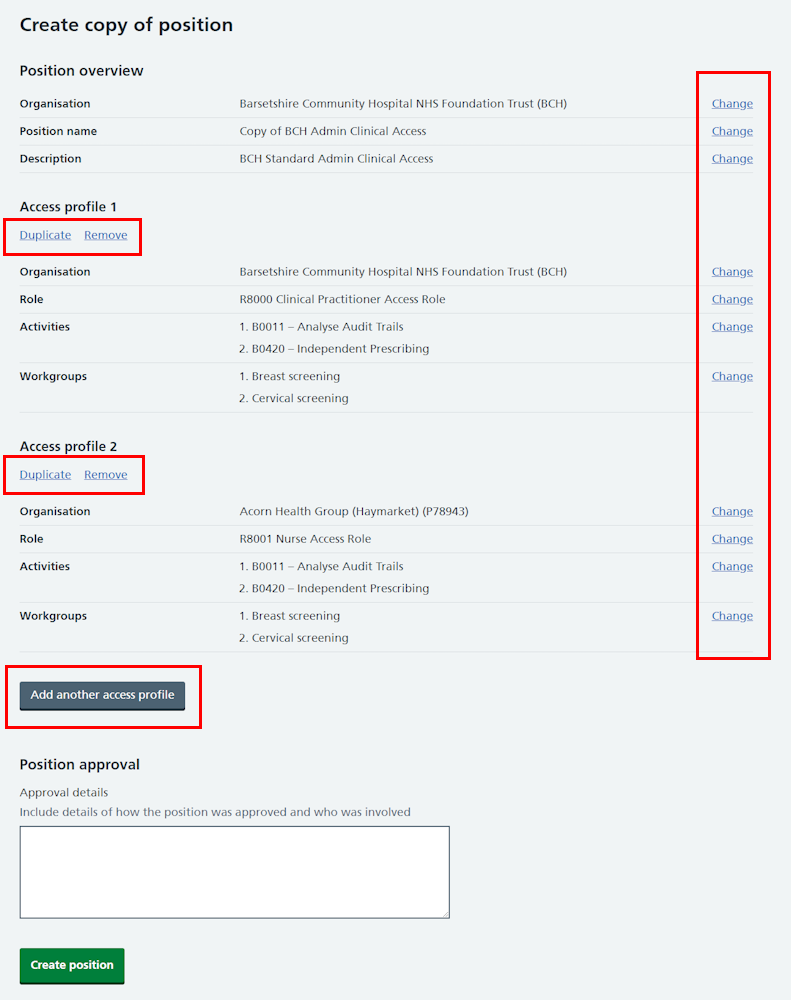
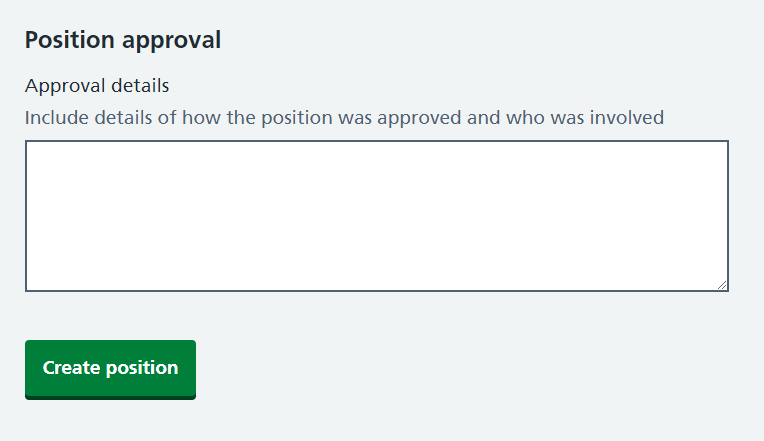
When you create a new position you need to add details of who approved it and why. This also applies when you copy a position. Add the details in the box at the bottom of the screen and select 'Create position'.
Finally you'll see a message confirming that the new position has been copied and created successfully.

Last edited: 24 April 2025 12:07 pm