Find a user profile
How to search for details of a user with a Care Identity Management profile.
Which roles can do this?
- Registration Authority Manager
- Registration Authority Agent (Advanced)
- Registration Authority Agent
- ID Checker
- Sponsor
- Local Smartcard Administrator
From the Care Identity Management home page, choose 'Find an existing user'.

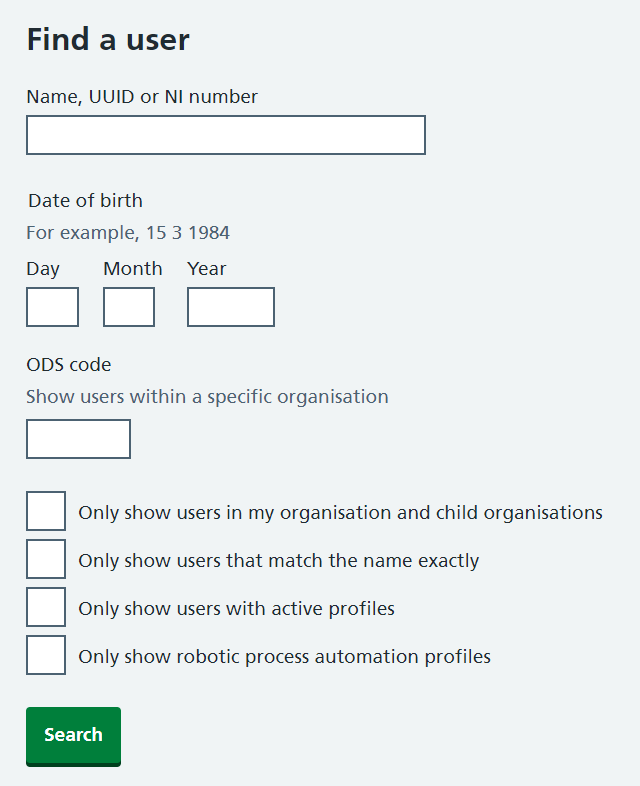
You will see various search options available on the 'Find a user' screen. Enter the details of the user you are looking for and select 'Search'.
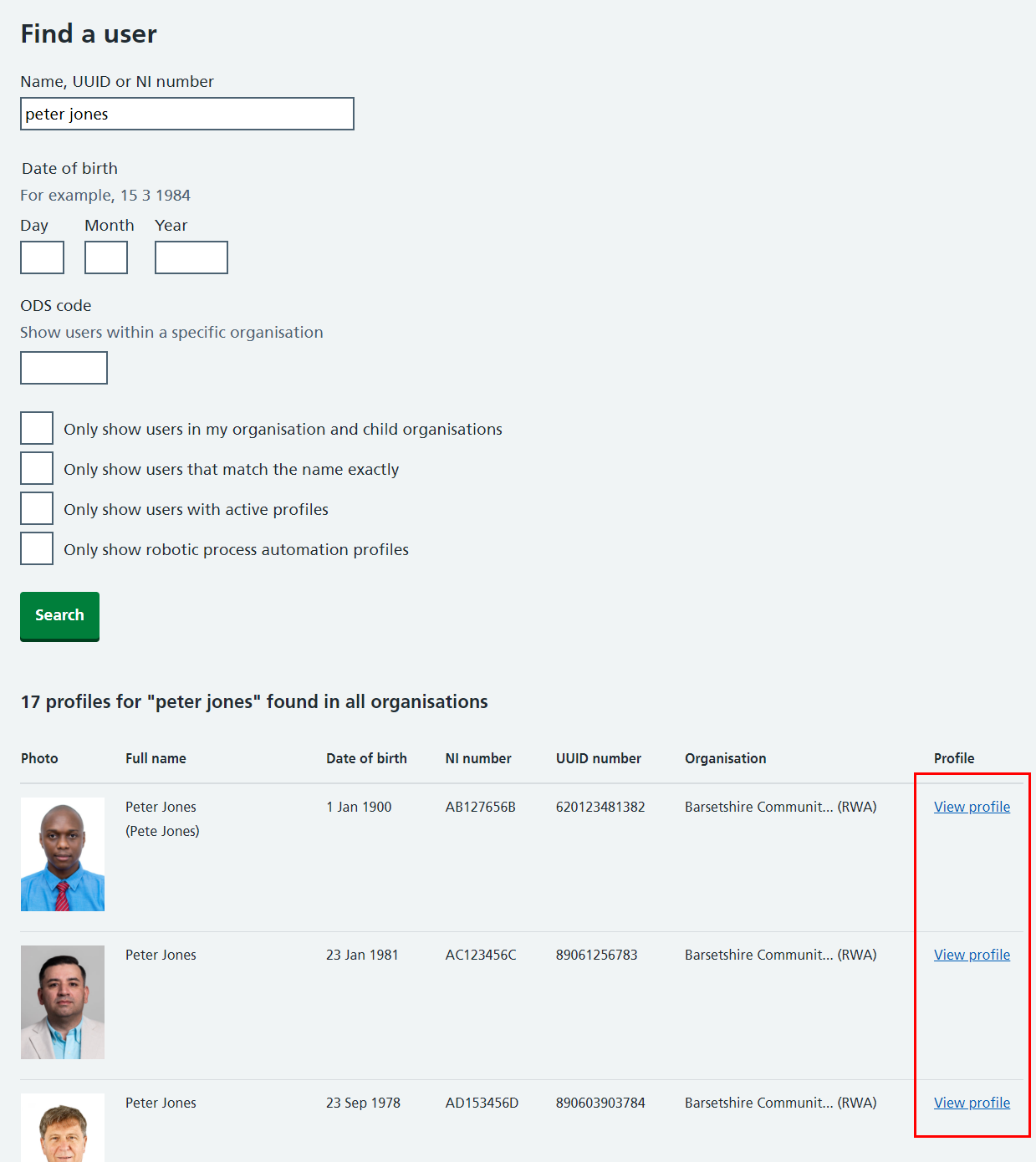
Any results will be displayed in the lower part of the screen. Select 'View profile' next to the user whose details you want to view.
Last edited: 16 July 2026 9:43 am