Help downloading and and accessing the Verify Care ID app
Help with downloading and accessing the Verify Care ID app.
I have not received a text with the link to download the app
Contact [email protected], including
- your application ID
- full details of the issue
- details about your device type and OS version
I can not download the app to my mobile
You will also need a phone that:
- has a camera
- connects to internet
- has a version of android 4.4 or iOS 12 and higher
I am using a work phone
You will need a phone that does not have restrictions that prevent you from downloading certain apps. Some work mobile phones may have restrictions and you may have to use a personal mobile instead.
Alternatively, you would have to contact your local IT team to see if they can enable you to use the app.
You can forward the text message to another mobile device and download the app on a different mobile phone if needed.
My app store country code settings are preventing me from downloading the app
You may be restricted from downloading the app and you may therefore need to check your country code settings in the Apple or Google Play store account on your phone.
Before making any changes to the country code settings, make sure that you are aware of the impact on other app subscriptions you have.
If you are unable to change the country code setting, and this is stopping you from downloading the app, you may have to use a different mobile phone with a compatible country code setting.
You can forward the text message to a different mobile phone and try that instead.
I cannot open the app on my mobile
Use of this app is controlled through a link in our text message.
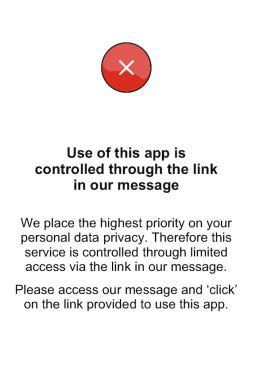
If you are seeing a screen with the message ‘Use of this app is controlled through a link in our text message’, this is working as we would expect and there is nothing wrong with the app.
You can access the app by selecting the link in the text message - you cannot access the app directly by selecting it.
The app keeps closing unexpectedly or is not opening as expected
- Check you have a strong internet connection. If not, try in a different environment or try connecting to Wi-Fi.
- Try updating your device’s software, even if the version you have should be compatible already (Android 4.4 or iOS 12 and higher). Then try to access the app again through the link in the text message.
- If you think there might be an issue with your mobile phone, then you can try forwarding the text message to another mobile phone to download the app and try that instead.
If you have tried the above and still experience an issue when trying to use the app, contact [email protected], including:
- your application ID
- full details of the issue
- details about your device type and OS version
Other technical app access issues
If you are experiencing other significant issues with downloading or accessing the app, then please contact [email protected], including your application ID and full details of the issue.
Last edited: 3 August 2023 11:42 am