Updating gender fields in CAP-AT v4
How to update the new gender identity questions in CAP-AT.
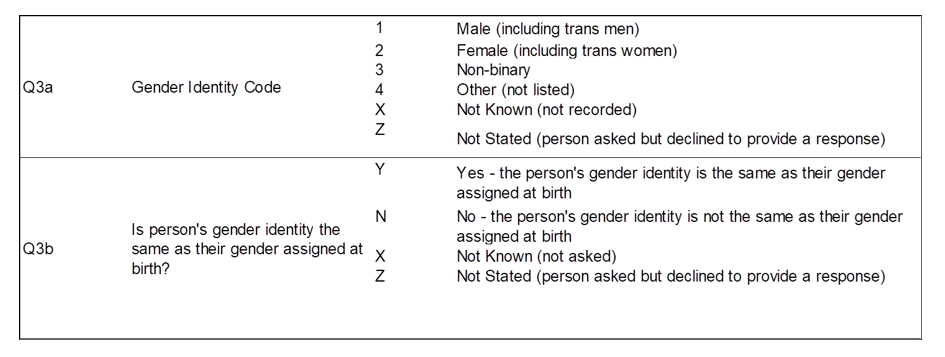
In AT v4 the field Q3 Person Stated Gender Code was replaced with 2 questions:
- Q3a Gender Identity Code
- Q3b Is person’s gender identity the same as their gender assigned at birth?
As these questions are held in the patient record within CAP-AT, data submitters can update and save open episode records without updating these fields to the new v4 values.
To ensure that up to date Gender information is held for all current patients reported in AT, submitters are asked to update all patient records with the new v4 codes for these questions.
The patient record can be updated in 2 ways:
- by uploading an edited episode record for the patient via the file submission dashboard (see our Editing records by export and upload guidance)
- by editing the patient record in the CAP User Interface (see below)
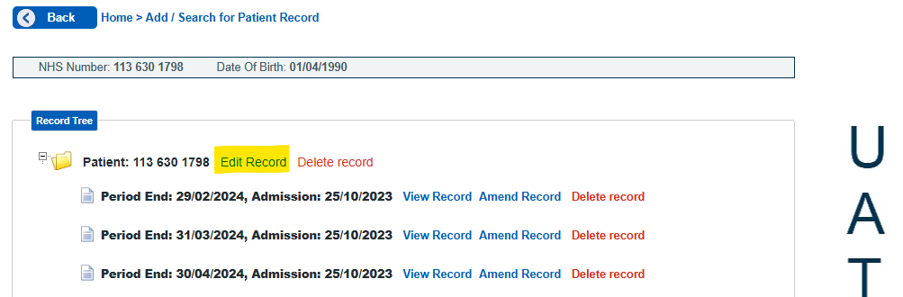
Click Add/Search for Patient Record and enter the NHS number and Date of Birth for the patient. At the top of the record tree Edit Record next to the patient’s NHS number.
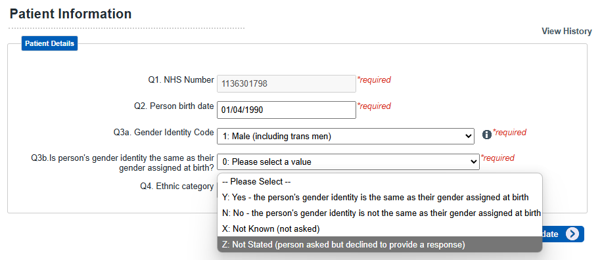
Although Q3a has an invalid value and Q3b is blank, if you click Update the patient record will save with these invalid values. Both fields need to be updated to keep the dataset up to date.
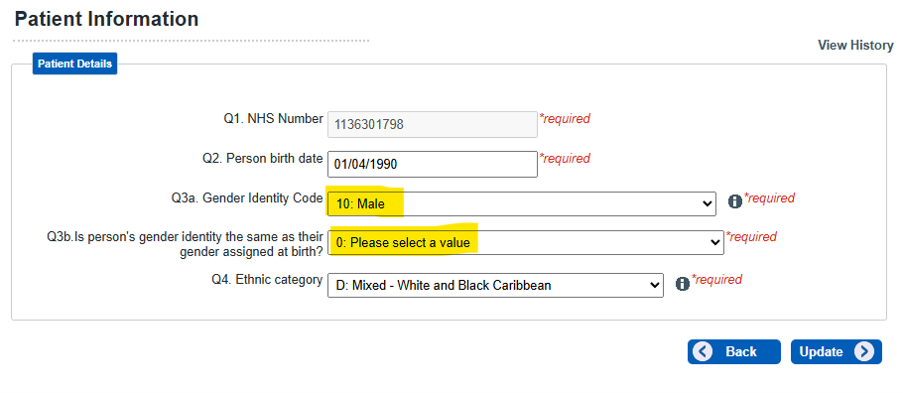
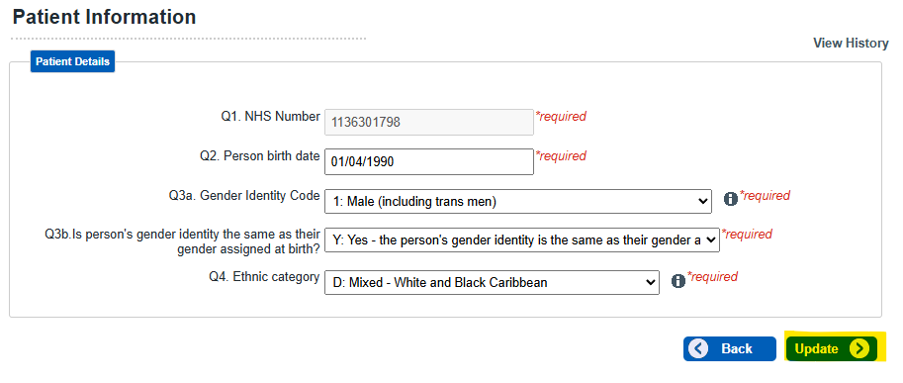
Update the fields for Q3a and Q3b to valid values using the drop downs.
The original v3 entry for Q3 (in this case Male) is shown, you need to update this by selecting the appropriate code from the drop-down options.
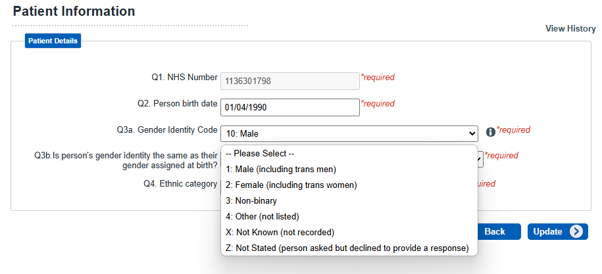
As Q3b is a new question, this shows 0: Please select a value. Select the appropriate value from the drop-down.
Once both questions have been answered from the drop-downs, click Update.
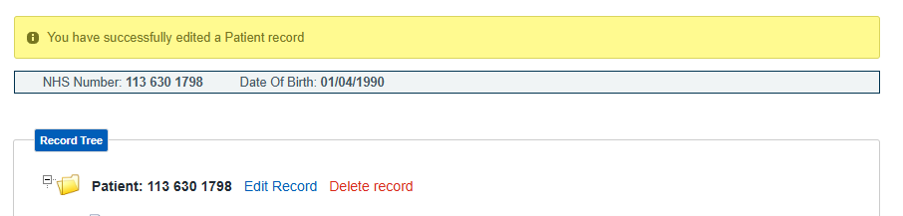
The record has been updated successfully.
Last edited: 28 September 2026 9:54 am