Part of Assuring Transformation on the Clinical Audit Platform master provider and site list
Entering provider and site details on Assuring Transformation
Provider and site details are entered or amended in a patient record in Q13 and Q14.
These questions still appear on the In-Patient tab on the User Interface, but Q13b, Q14b and Q14c are greyed out as they are now auto populated from the codes selected in Q13a/Q14a.
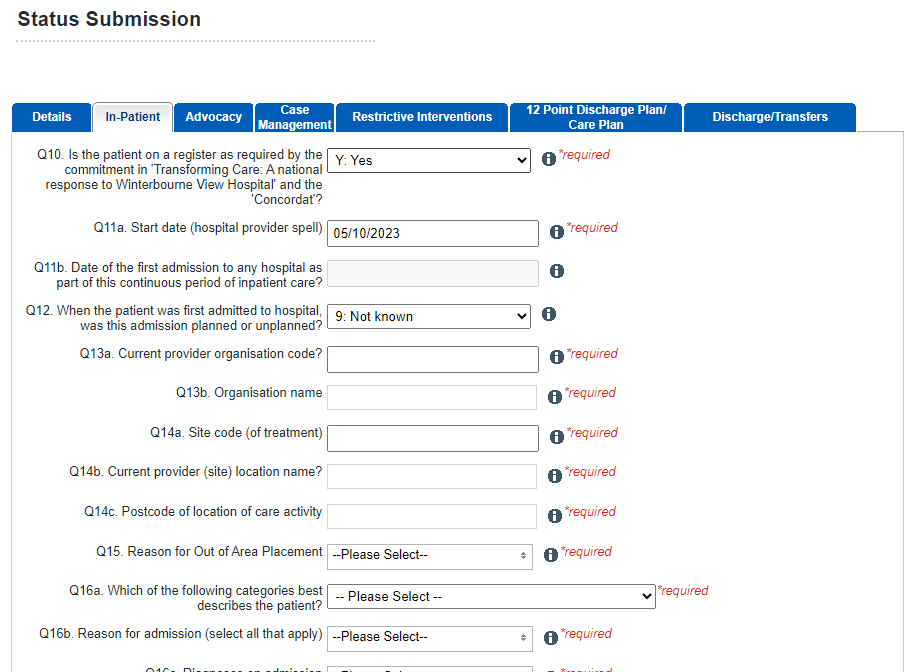
The Master Provider and Site List entries appear in drop down lists in Q13a and Q14a.
There are two ways to find a site in the MPSL.
1. Search for and select the appropriate provider organisation in Q13a and then select the site in Q14a; OR
2. Search for and select the site in Q14a the organisation details in Q13 will be automatically populated.
Last edited: 14 December 2023 3:29 pm