Part of National Pregnancy in Diabetes Audit Accessing Clinical Audit Platform Report
Extracting a copy of your submitted audit data
These instructions explain how to extract the data, and what you will see in the data file.
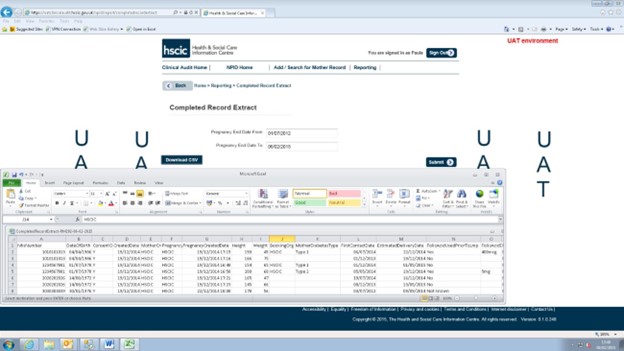
The screenshots below are from our testing system and the data shown is fictional.
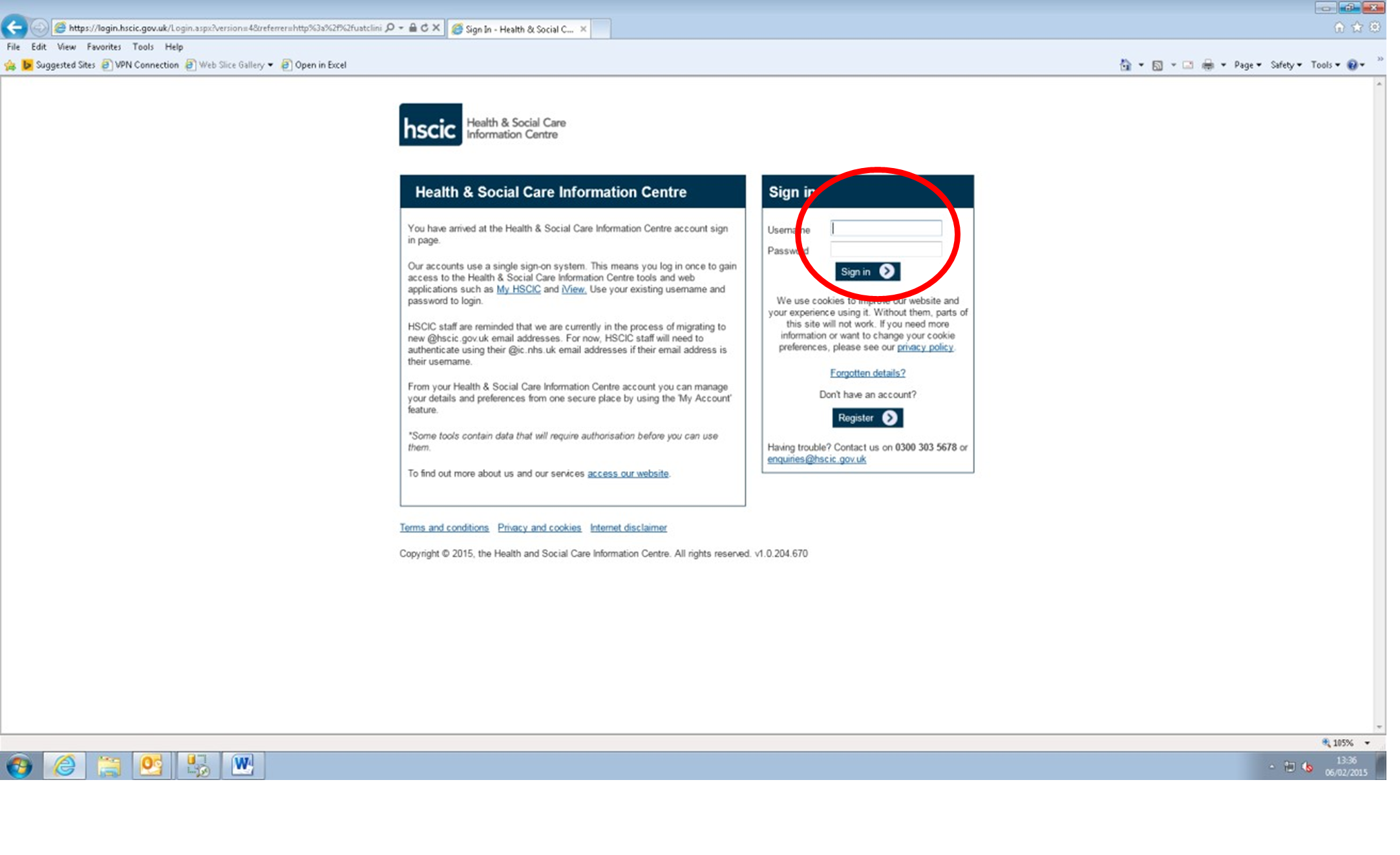
1. Log in to the NPID online system using your usual SSO login details.
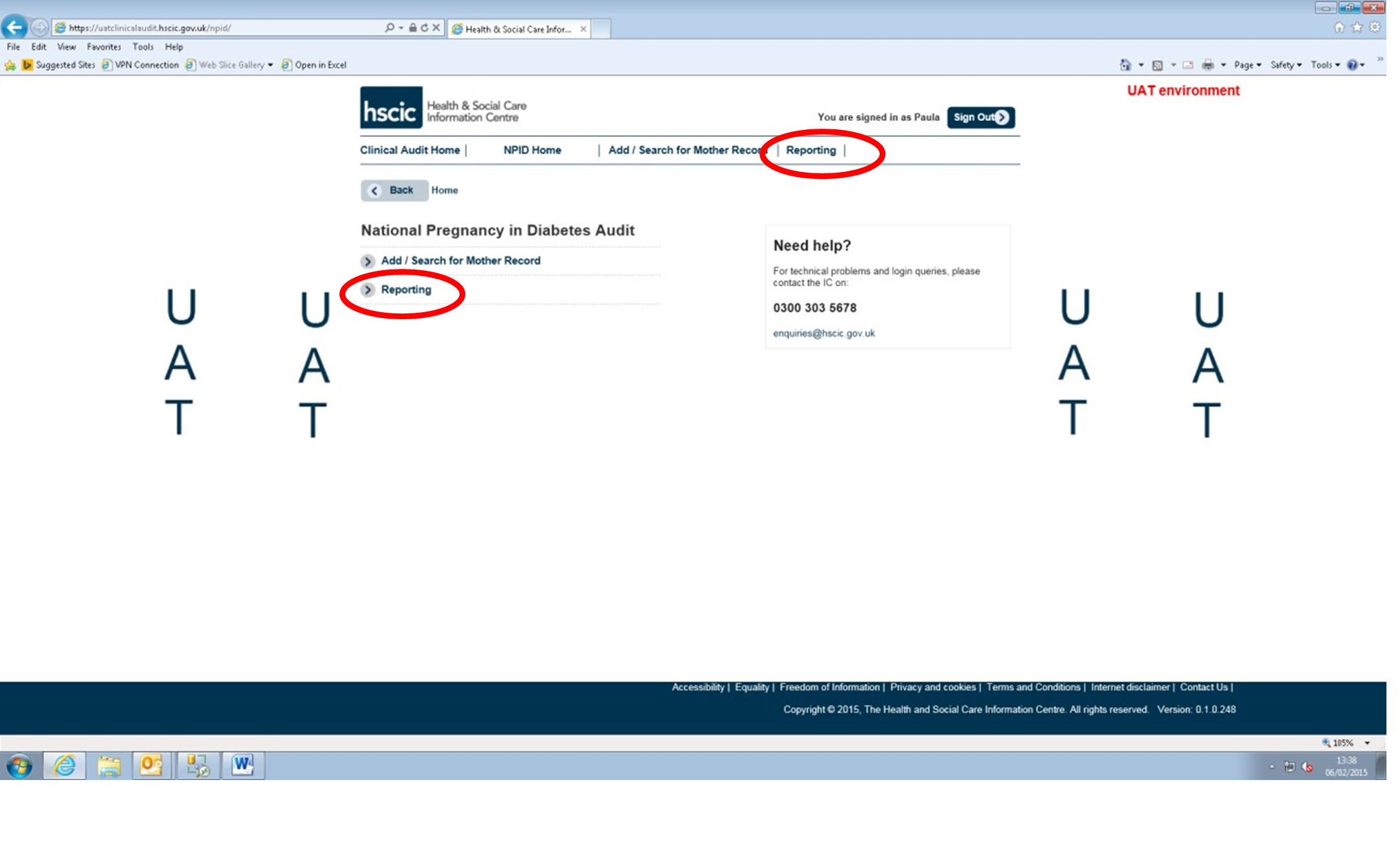
2. Click on reporting.
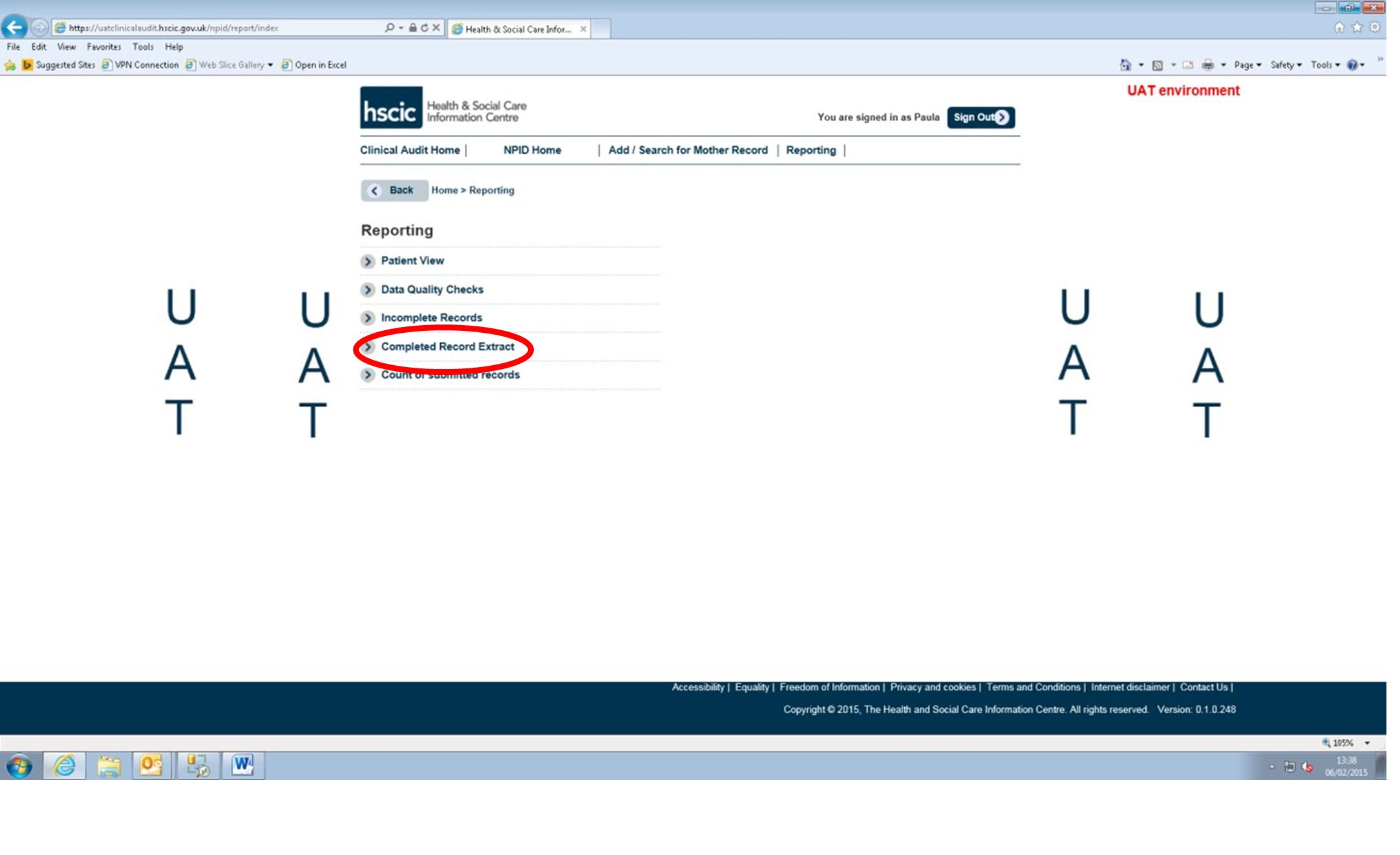
3. Click on Completed Record Extract.
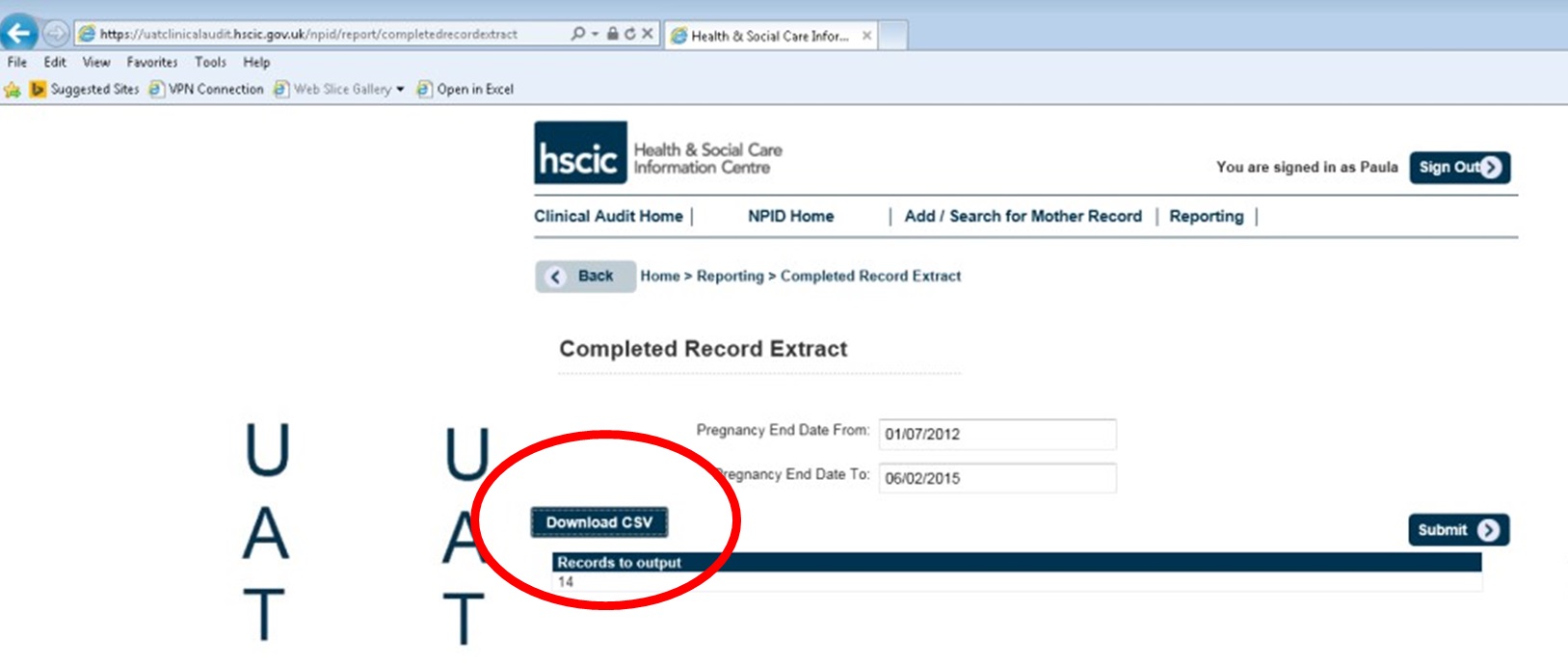
4. Adjust the dates if required and click Submit.
5. Click download CSV.
6. View and save the data file.
This file contains patient identifiable information and must not be shared with anyone other than other registered users of the NPID system within your hospital, if saved locally it must be stored with appropriate security in line with your local governance policy. Any publication or presentation of this data must be done so with appropriate aggregation and anonymisation in line with your local governance policies and procedures.
Last edited: 15 May 2025 12:59 pm