Part of NHS England Secure Data Environment user management guide
Deactivate and reactivate users
You can temporarily deactivate a user if they do not need to use their account for a while. For example, if the user goes on annual leave.
To deactivate an account:
- Go to the user’s details page.
- In the status row, select Deactivate user.

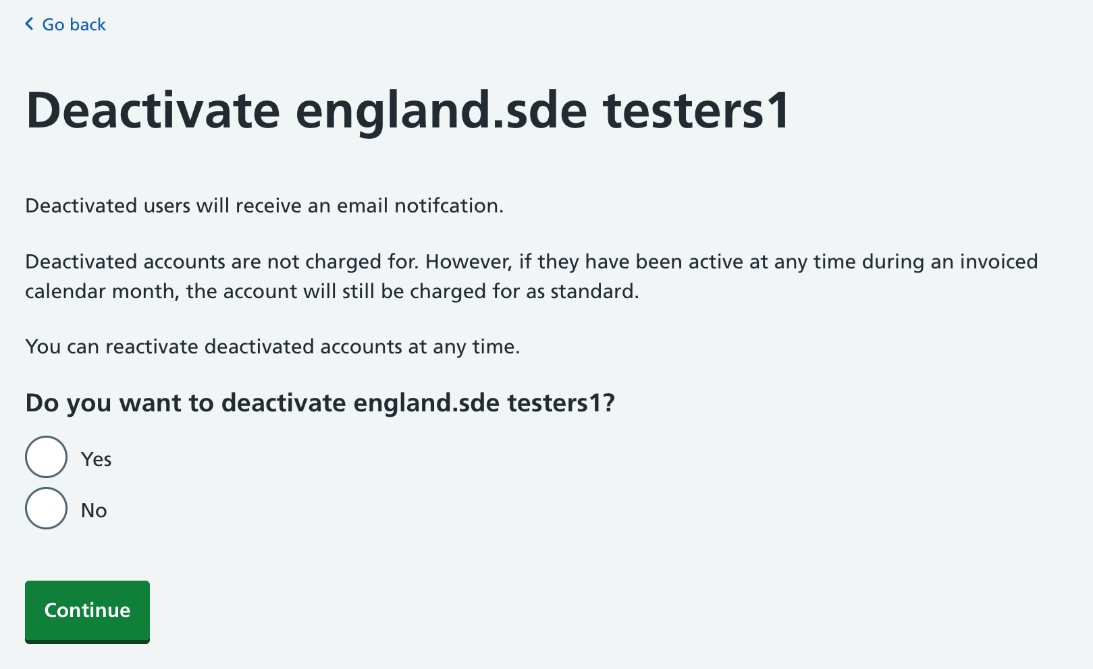
3. Select Yes and click Continue. The user will be deactivated and they will receive an email.
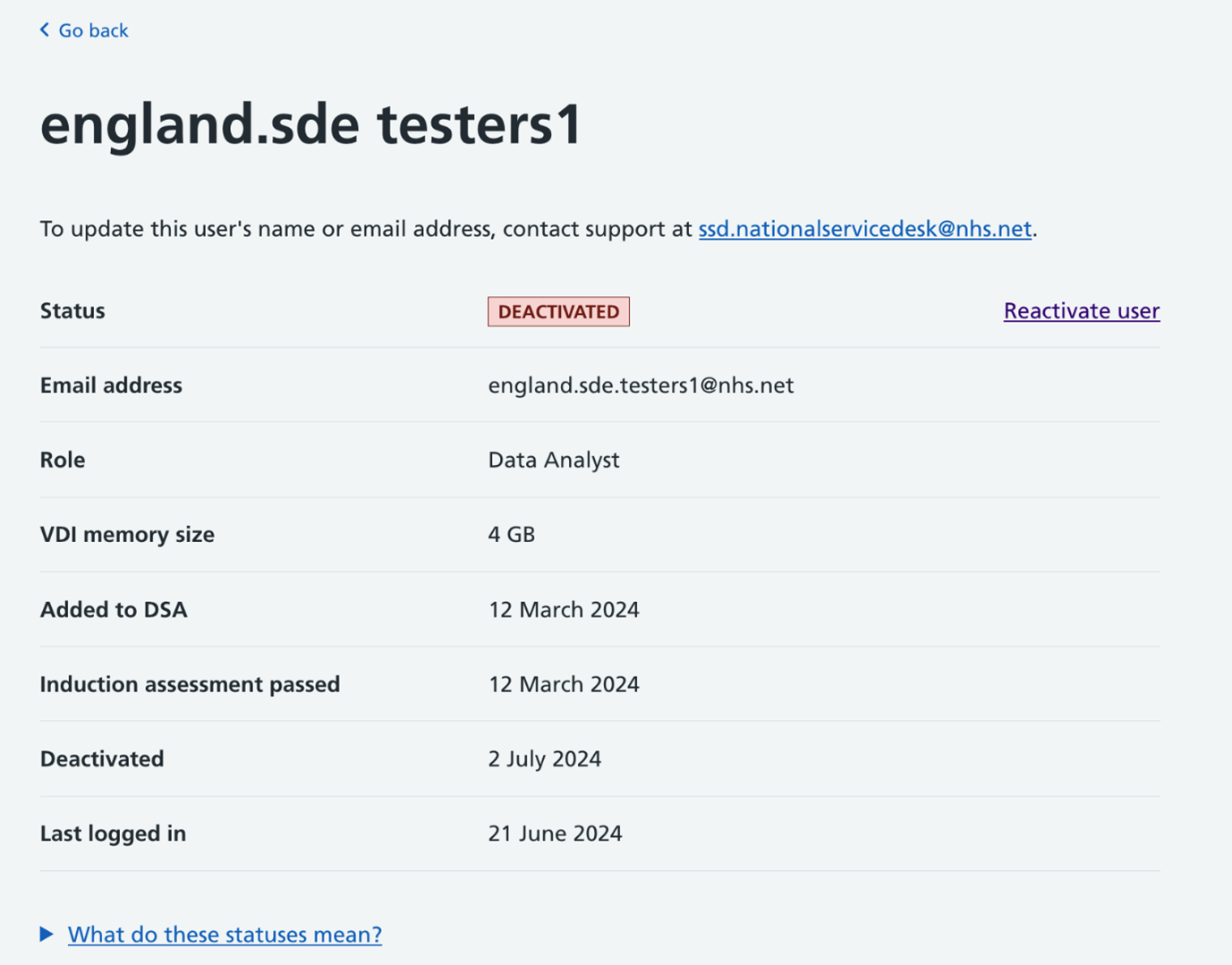
Deactivated users have an option to Reactivate. You can follow the same process to reactivate the user, after which they will receive an email informing them that they can access the SDE again.
Last edited: 17 March 2026 3:08 pm