How to link your Care Identity (CIS2) to your Pathways Authoring Tool (PAT) account
Instructions for Pathways Authoring Tool (PAT) account users on how to link their Care Identity to their PAT account.
Before you start
Before following the instructions in this guide, you must have:
- a PAT account in your own name. If you are currently using a shared account (one used by multiple people), you need to request your own PAT account
- an active Care Identity (CIS2). You can apply for a Care Identity from CIS2 if you don't have one, or if you need to reactivate it
Once you have your own PAT account and a Care Identity (CIS2), follow the instructions on how to link your Care Identity (CIS2) to your Pathways Authoring Tool (PAT) account (see below).

Care Identity (CIS2) authentication is now live in PAT
To access PAT, users must now have their active Care Identity linked to their PAT account. If you have not linked your active Care Identity to your PAT account, you must follow the instructions below immediately.
If you have already linked your active Care Identity to your PAT account, or if you are an API user, no further action is required
How to link your Care Identity (CIS2) to your Pathways Authoring Tool (PAT) account
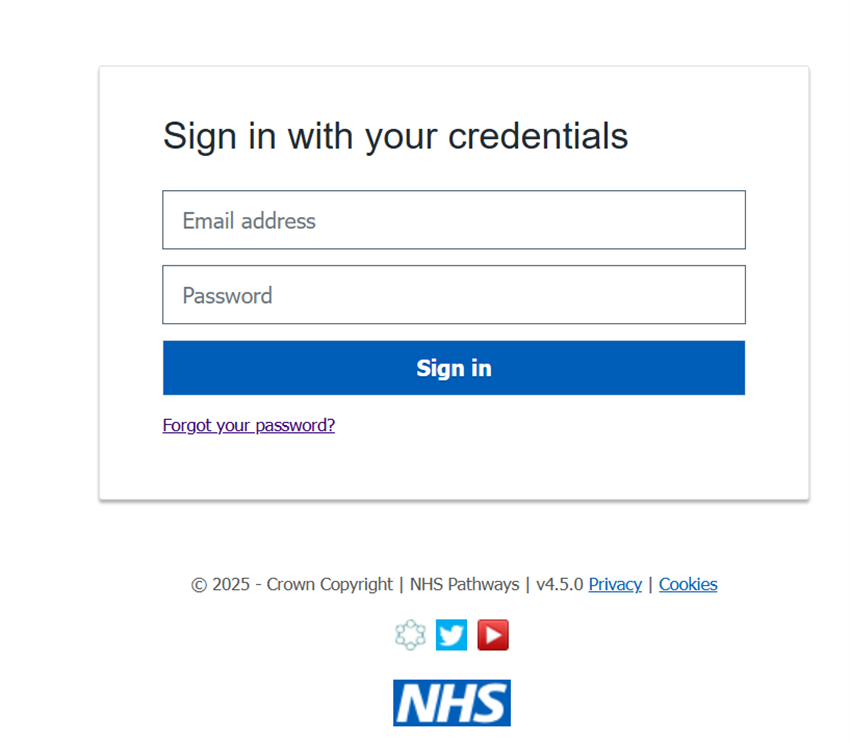
1. From the PAT login page, use your username and password to access PAT.
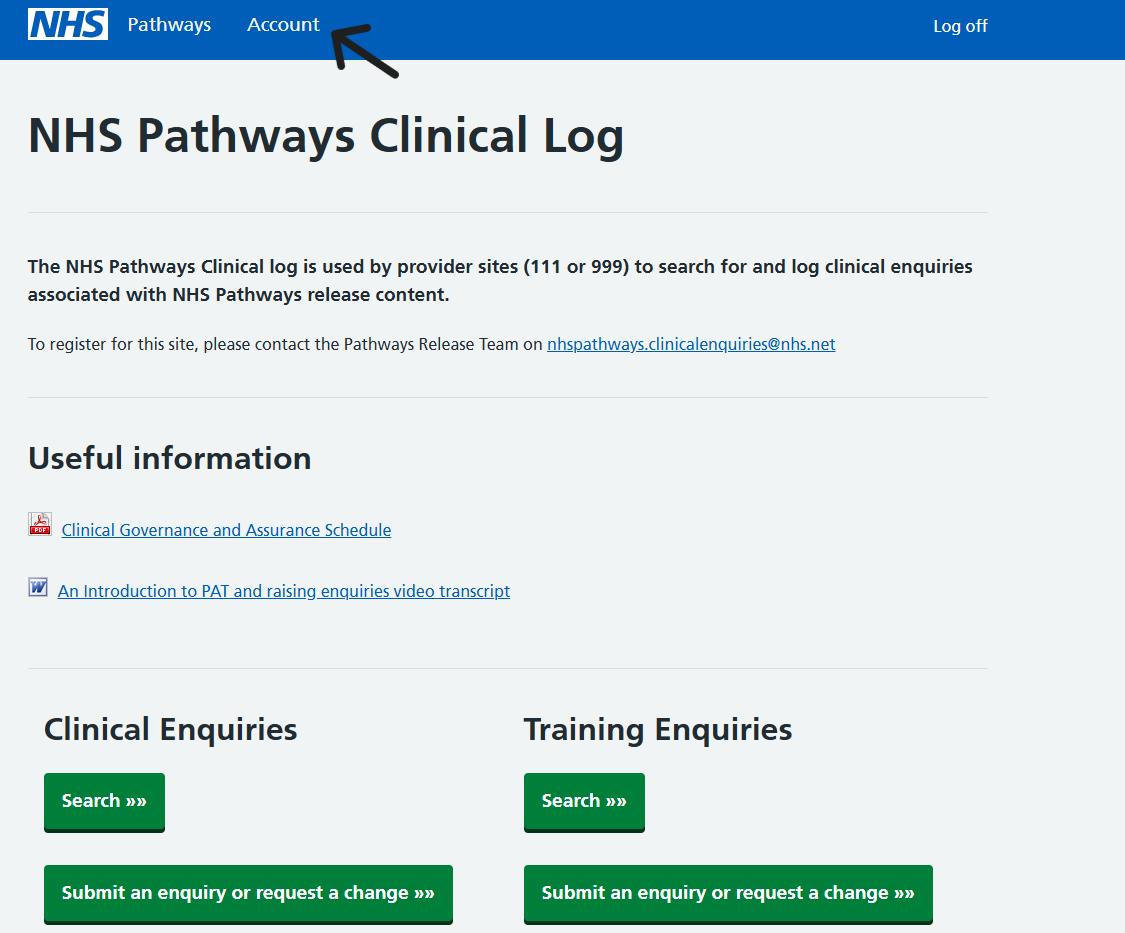
2. Navigate to the account page in the top right hand corner (or top left).

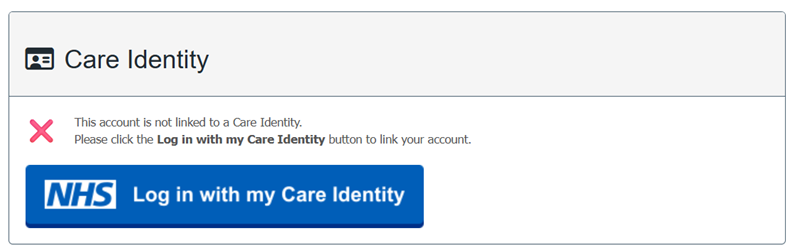
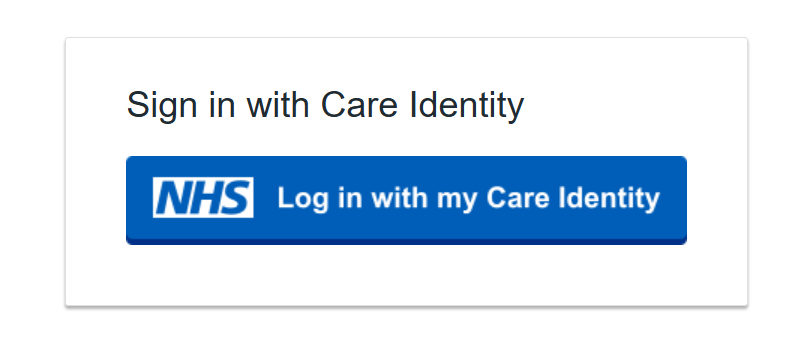
3. Click Login in with my Care Identity button to link your account. If your account is not linked you’ll see the symbol and a message like the one below.
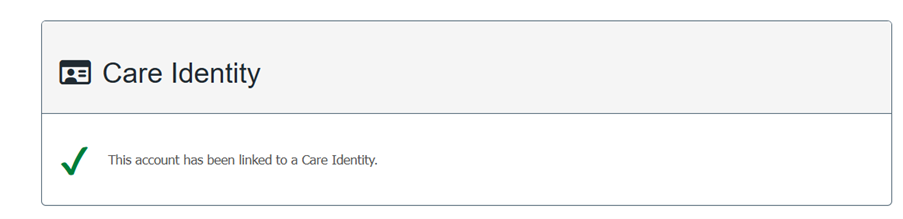
If you have linked your account you’ll see a green tick to indicate your account is linked.
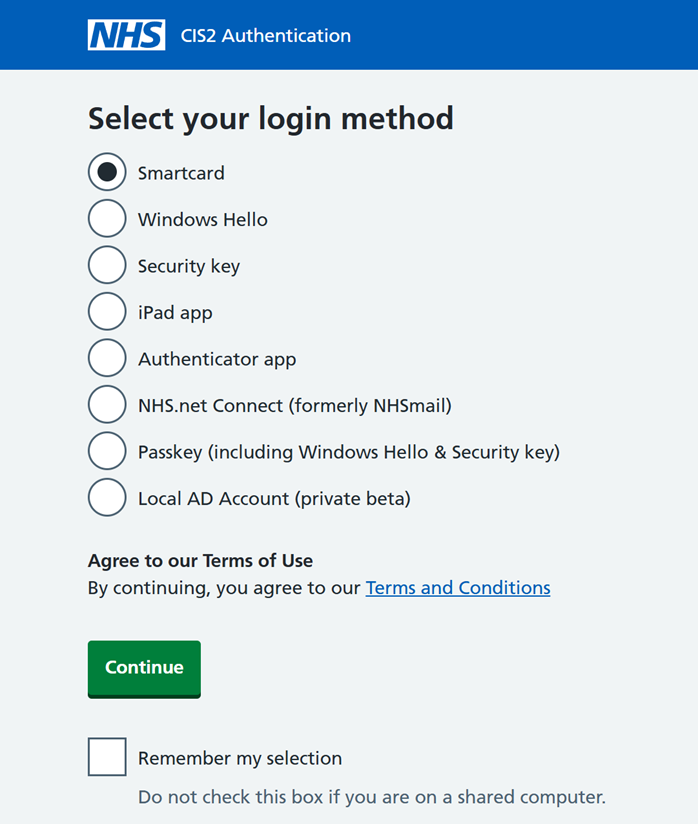
4. Select your preferred login method from the list. The login method you choose will be the method you use each time you log in to PAT using Care Identity (CIS2).
View CIS2 authentication methods for more information.
5. Use your Care Identity (CIS2) username and password to log in to Care Identity (CIS2) and then click continue.
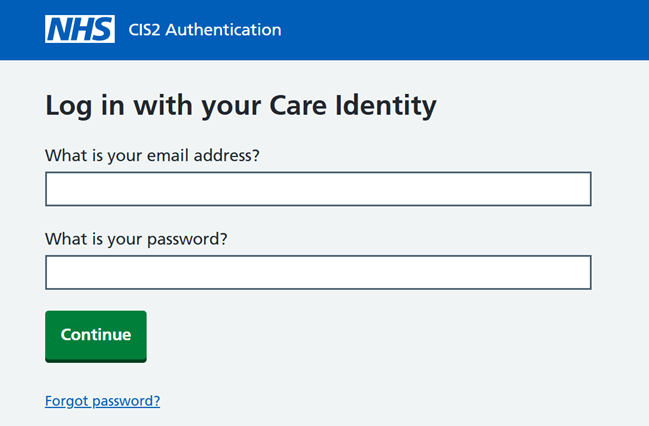
6. The next set of instructions you receive will come from your Care Identity and will be specific to the authentication method you selected.
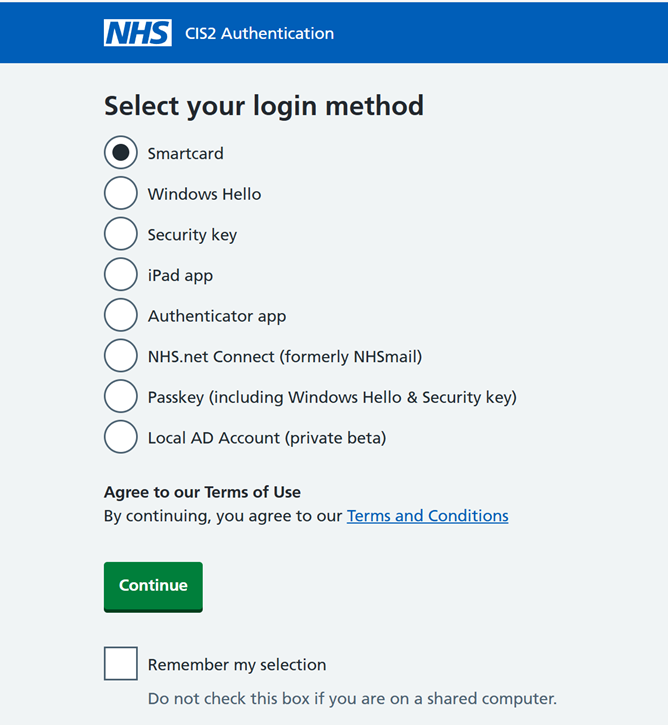
7. Once you have successfully linked your Care Identity (CIS2) to your PAT account, you will be taken back to the account screen.
If you have successful linked your account you will see a green tick.
8. Once you've linked your account you need to login with the Login in with my Care Identity button and follow the instructions to access PAT.
Once you have linked your account you will no longer be able to use the username and password.
Last edited: 26 January 2026 4:31 pm