Access the Directory of Services (DoS) using your Care Identity
Learn how to access DoS using your Care Identity, including how to get the accounts you need and link them together.
Overview
To access the Directory of Services (DoS), you must have your own DoS account and an active Care Identity (CI). This guide explains how to check you have the accounts you need, link your CI to your DoS account and sign in using CIS2 authentication.
Before you start
To access DoS, you must have:
- a DoS account in your own name
- an active CI
Step 1: Make sure you have a DoS account
If you already have your own DoS account, go to Step 2.
When requesting a DoS account, include:
- your organisation name
- your hospital, role and DoS region(s) (if applicable)
- details of the shared account you currently use
After your request is approved, follow the instructions sent to you by email.
Note: if you fail to link your CI within 60 days, your DoS account will be deleted and you will need to restart the request process.
Step 2: Make sure you have a CI
If you already have an active CI, go to Step 3.
If you do not have a CI, or your CI is inactive, contact your local Registration Authority (RA). They will help you apply for or reactivate your CI.
Step 3: Link your CI to your DoS account
When completing the linking process, you must:
- use your own approved DoS account
- have an active CI
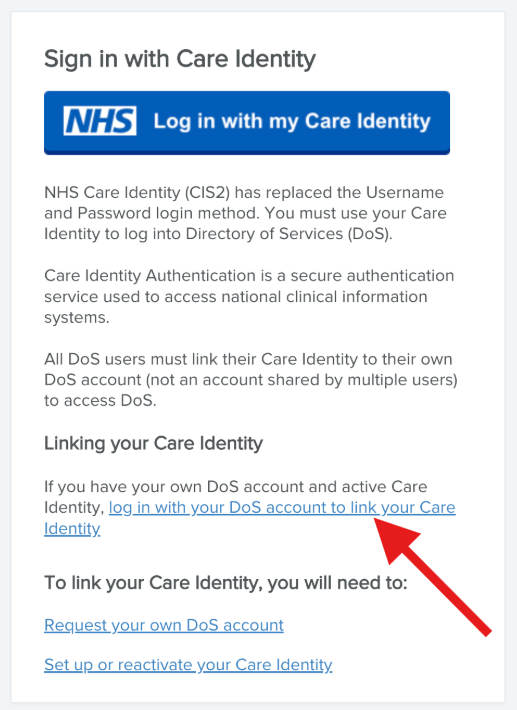
Go to the DoS sign-in page:
- Select Log in with your DoS account to link your Care Identity.
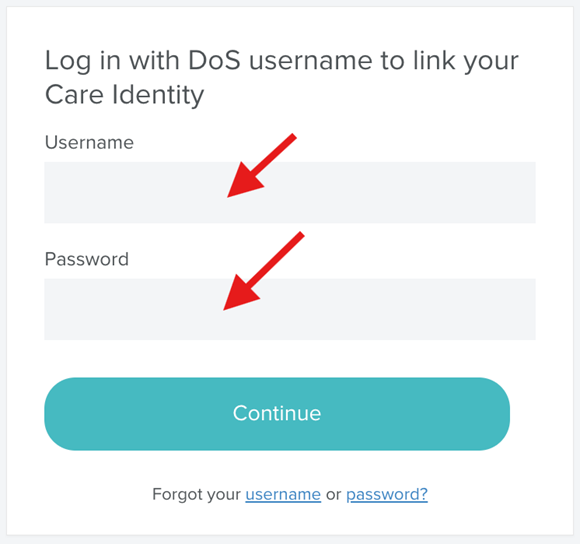
- Sign in using your DoS username and password.
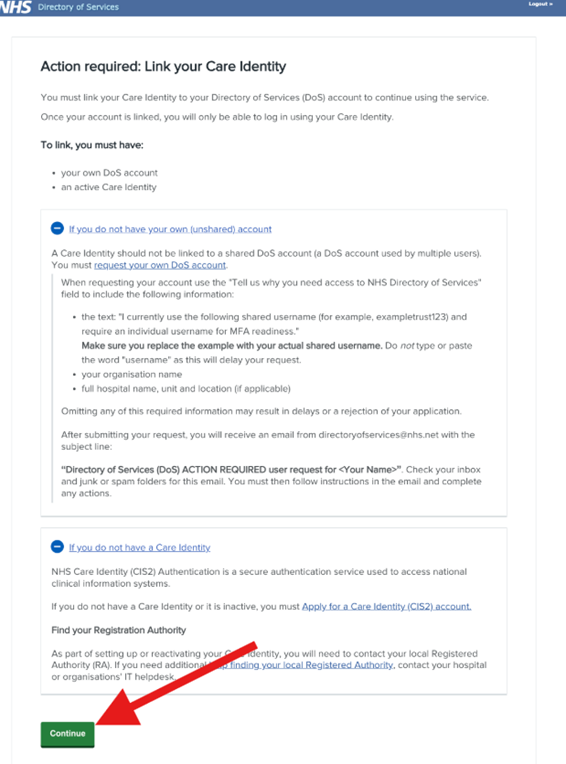
- Select Continue
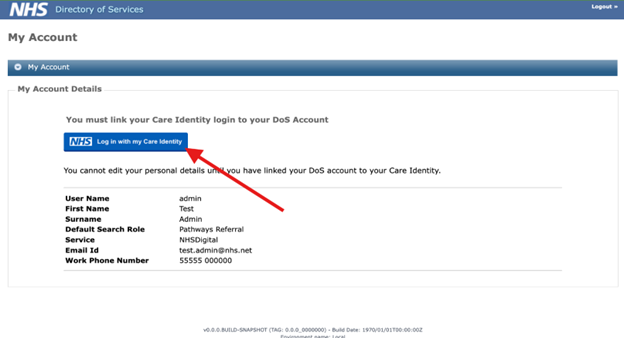
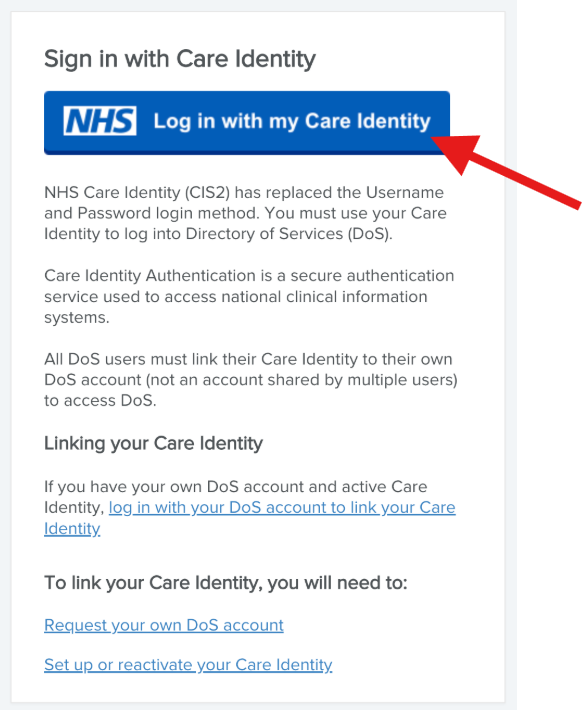
- Then select Log in with my Care Identity.
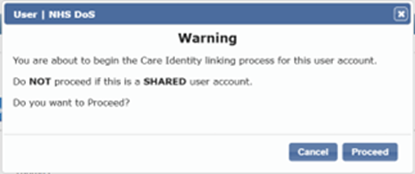
- Select Proceed on the popup window.
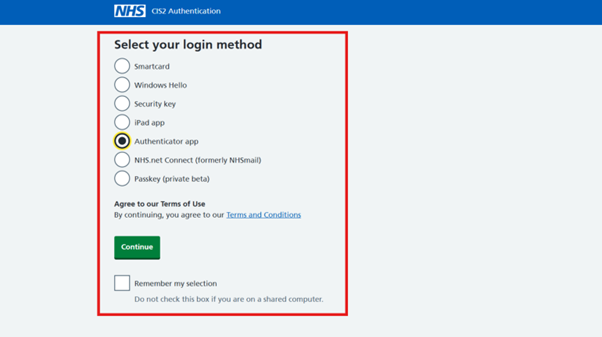
- Select your preferred login method, and then Continue.
- Sign in using your CI details and follow the instructions – do not use your DoS username and password (this step depends on the login method you chose).
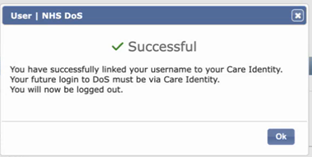
- When the linking process has completed successfully, you will see a success message – select OK.
- You will be logged our of DoS and redirected to the DoS login screen.
- You can now log in using the CI you just linked – select Log in with my Care Identity.
Note: once your account has been linked, you must use your CI to sign in to DoS.
Problems signing in
You may not be able to access DoS if:
- your CI has not been linked successfully
- you are using a shared DoS account
- your DoS account is locked
- you have forgotten your DoS or CI credentials
- your session timed out during the linking process
Follow the guidance on the sign-in screen, or contact support (see below) if the problem continues.
Get help
For any DoS-related support requests, please raised a ticket by contacting us through on of these channels:
- ServiceNow Portal (preferred option)
- Email: [email protected]
- Telephone: 0300 3035035 – please call if your query is urgent
Last edited: 2 September 2026 3:30 pm